This class is helping me put my impostor syndrome to bed. The past two weeks have been a productive and rewarding experience. Most notably, I’ve been getting back into making designs in Figma, and this time, I actually know what I’m doing.
Continue reading “A Fortnight of Figma”Tag: html
From CR to CSS
Yesterday my flight from Costa Rica landed in Sacramento. Today, I’m back at the desk writing CSS with my brand new keyboard.
Continue reading “From CR to CSS”Deep Thoughts From Week Four
Hating on Papyrus font is like hating on Nickleback….
Continue reading “Deep Thoughts From Week Four”Typography This Week
Who knew there was so much to
Continue reading “Typography This Week”Good Boy Fetches My Files, and Occasionally Loses Them!
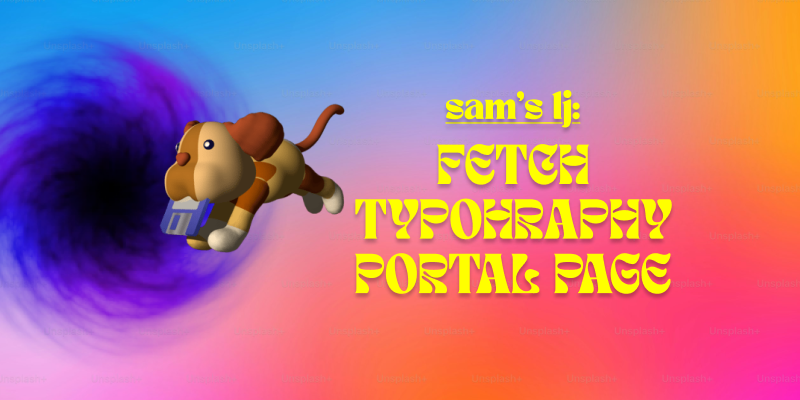
Lately, I’ve been getting more into web design, and honestly, it’s been a mix of excitement, frustration, and way too much time spent tweaking tiny details. Typography, FTP, and building my portal page have been my main focus, and each has come with its own set of surprises.
Typography has been one of my favorite parts. I always knew fonts mattered, but I never realized how much they shape the entire feel of a website. Picking the right font isn’t just about aesthetics—it’s about making sure people can actually read what you’re putting out there. I also got way too into typography games (yes, they exist, and yes, they’re weirdly addictive). Who knew I’d be out here kerning letters for fun? But honestly, playing those games helped me understand how small adjustments can make a design look polished or completely off.
On the more technical side, I’ve been using Fetch as my FTP client to upload my work. It’s pretty satisfying to drag and drop files and see my updates go live. At first, it felt a little intimidating—like, one wrong move and everything could disappear—but once I got the hang of it, it wasn’t bad at all. The key lesson? Keep files organized. Because trust me, trying to find the right version of a file in a mess of randomly named folders is not fun.
And then, there’s my portal page: Samet Kaya – Portal Page. It’s the hub for everything I’m working on, and designing it was a fun challenge. I wanted to make sure it was simple, clear, and easy to navigate—because if people have to think too hard about where to click, they probably won’t click at all. I focused on keeping the layout clean and making sure the important stuff was easy to find. So far, I’m happy with it, but let’s be real—I’ll probably keep tweaking it forever.
Web design has definitely been a learning experience, but I love how it’s a mix of creativity and problem-solving. One day I’m picking fonts, the next I’m troubleshooting an upload issue, and somehow, it all comes together. Now, onto the next challenge (or maybe just another round of typography games).
First Two Weeks In Web Design
The first two weeks have been a breeze, with plenty of fun and enjoyment in new material. The HTML discoveries made in our resumes and the deep dives into the world of elements have been valuable learning experiences.
Continue reading “First Two Weeks In Web Design”My Journey with HTML
My previous experience with HTML / CSS, and how I have been refreshing myself with the material!
Continue reading “My Journey with HTML”Fun with Lists and Tables
You know you’re a nerd when you’re excited to learn about making lists, tables, and forms with HTML5! Interactive elements are still new to me and I’m looking forward to learning more about them.
Continue reading “Fun with Lists and Tables”HTML, errors, and and lessons…
The first two weeks of the semester have been a whirlwind of learning. From mastering HTML validation to understanding the importance of clean code, I’ve gained valuable insights into the world of web design. Here’s a look at what I’ve discovered so far.
In the first two weeks of the semester, I’ve already picked up a lot of valuable lessons. One of the most important things I’ve realized is how essential it is to pay attention to the smallest details in web design. Learning about HTML validation was a key takeaway for me. I discovered how important it is to ensure that your code is error-free. The HTML validator website has been a game-changer. It allows me to check my code for mistakes and make sure everything is structured properly before going live. This tool has helped me understand that even small coding errors can affect how a website functions, and using a validator ensures that my work meets the highest standards.
Another significant lesson has been understanding the different aspects of web design, from layout to content placement, and how each decision impacts the user experience. I’ve also started to see how critical it is to plan and organize everything from the start, as it makes the process much smoother in the long run. These first two weeks have been a great introduction, and I’m eager to continue learning and applying what I’ve learned as the semester goes on.
Woman meditating about HTML dies and no one notices for twenty years.
Yes, a mummified woman was found in the lotus position and believed to have died while in deep meditation about HTML. She did however leave a
Continue reading “Woman meditating about HTML dies and no one notices for twenty years.”~Gordon’s Cat Learns Chess while he plays epic shows in Mexico~
Phish’s bassist, Mike Gordon stuns the world, with his cat Toonces who learned chess while suffering from separation anxiety while the musician left to play out of the country.
Continue reading “~Gordon’s Cat Learns Chess while he plays epic shows in Mexico~”Beginning to Wrap Things Up
I am now in the homestretch of my associates’ degree, and it feels nice to finally be done with my general ed requirements. Coming back from winter break to write html from scratch was indeed humbling, but I feel like I’ve gotten back into the swing of things quickly.
Continue reading “Beginning to Wrap Things Up”Back at it
These first two weeks have been what I would call a shock. Winter break did not feel like very long, but I still find myself with brain fog on week 2.
Continue reading “Back at it”How Do I Code Again?
Jumping back into HTML after a month of not using it has been humbling to say the least. While I remember most of the tags that I used in my Introduction to Web Design class, I’m realizing how much I’ve already forgotten in such a short amount of time. On top of that, I’m also starting to realize how much I don’t know about coding in general.
Continue reading “How Do I Code Again?”A Quick Tour of Week 2
Week 2 of my AAD0086 class has been a nice warm-up of what’s to come. I appreciate the reintroduction to HTML through our future resume project, which was harder than I thought it would be given I’d just finished 0085 last semester. My first post is a reflection of what I’ve learned so far and what I’m looking forward to in this class.
Continue reading “A Quick Tour of Week 2”Lisa’s Learning Journal: Week 12
When does a tool become a gimmick? (And when does a gimmick become a headache…)
The last couple of weeks have flown by a bit faster than I expected. Last week, we got to play around with Sass, which I actually had some fun with. It reminded me of my time tackling object-oriented programming a few semesters ago. Sass came more naturally to me than I thought it would. That being said, I don’t know how often I will implement Sass in my own web coding career.
Continue reading “Lisa’s Learning Journal: Week 12”Lisa’s Learning Journal: Week 10
Ten weeks down, six more to go…
The last two weeks of web design have gone by smoothly. I’m enjoying the design challenges, even though they sometimes leave me with a headache. It’s fun to try and figure out how to do the CSS coding correctly. I feel more confident with my coding abilities than I did at the beginning of the semester even though I feel like I don’t know how to do much. Each step is another hurdle I am slowly tripping upon. However, I am happy with how I am progressing through the class.
Continue reading “Lisa’s Learning Journal: Week 10”Week 10=22 Weeks Until Degree Completion

Ok, sometimes I need to focus on the longterm goal to get the short term items done.
Continue reading “Week 10=22 Weeks Until Degree Completion”Lisa’s Learning Journal: Week 8
Is the Semester Halfway Over or Halfway Begun?
The past few weeks of AAD86 have been pretty smooth. It was fun to work through the stages of the midterm project, and I had a lot of fun finalizing my design. The first taste of responsive design was interesting. I think things are going to get a little more complicated moving forward with that. The introduction of indenting in CSS is a little scary since it seems like things can get really messy really fast.
Continue reading “Lisa’s Learning Journal: Week 8”AAD-0086 wk 5&6 – Float, Flex & Grid
With the concentration on the tools of spacial design, we worked with positioning, floats, flexbox and grids.
Continue reading “AAD-0086 wk 5&6 – Float, Flex & Grid”