Have you ever seen something work for someone else but not for you? Why didn’t it work? Was it your mistake, the code, or the browser?
Working on the grid exercise, I learned that you can arrange contents in various ways similar to flexbox. This is really neat because you can take flex box to the next level and use it in combination with grid. I think grid comes in handy, especially when you are trying to do a layout similar to the Audio Space website. Another good example that hit me was it’s use for online stores (Amazon, etc.). I was searching Google images and the pictures reminded me of the windows 10 start screen.
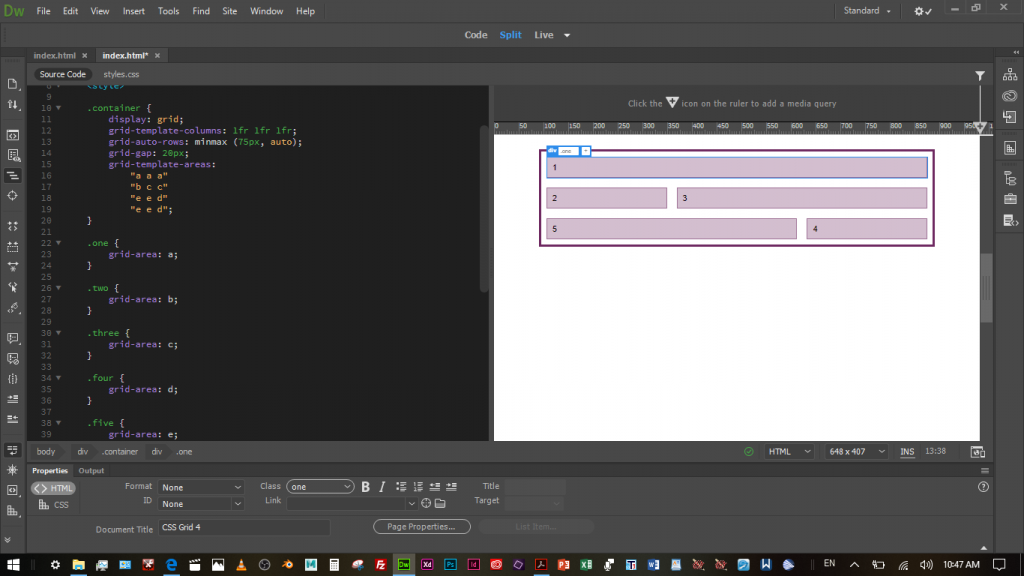
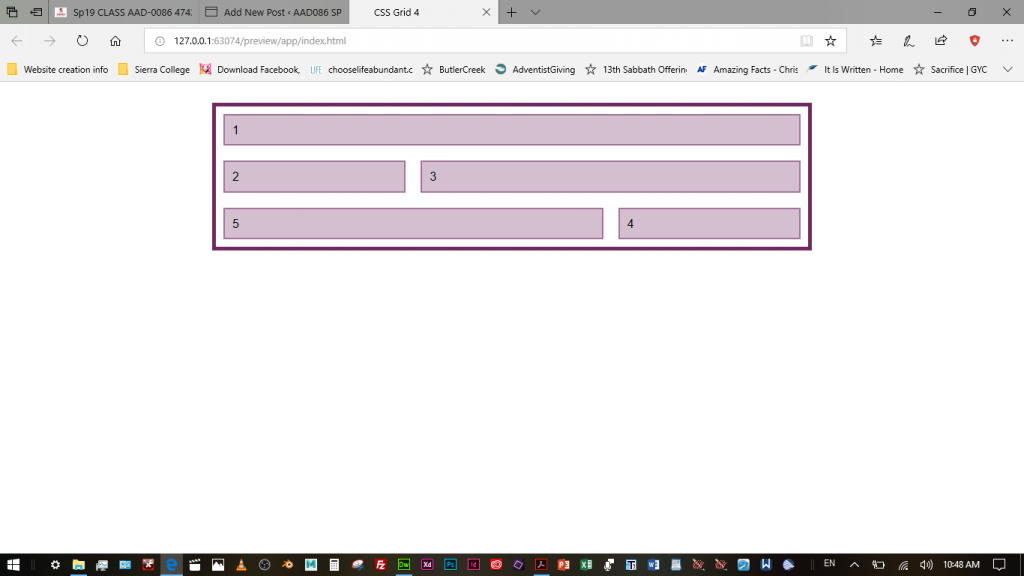
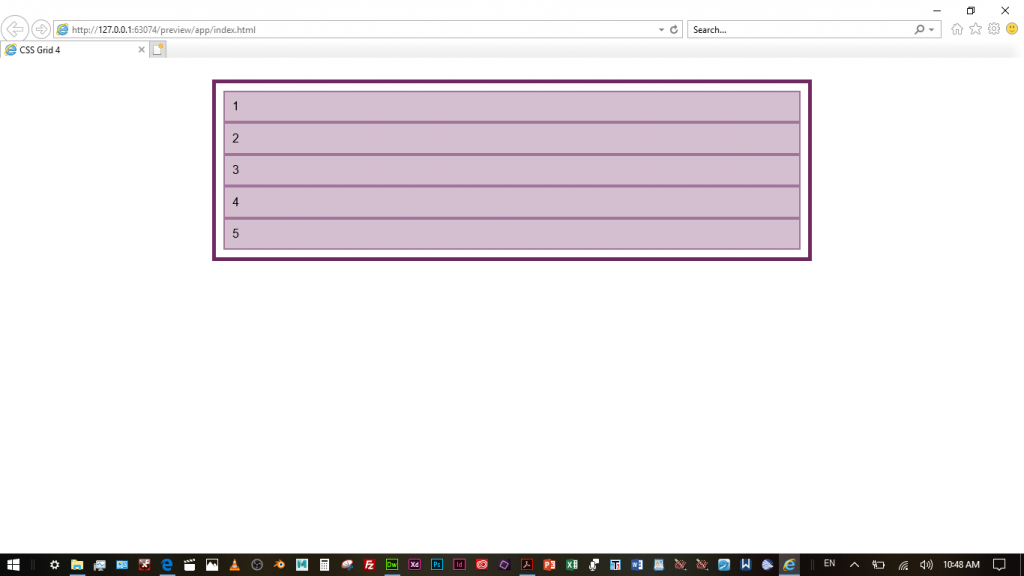
I had an interesting experience. I was trying to figure out why exercise 4 using grids wouldn’t work for me. I thought I had the code right, but thanks to professor Mead, I finally found out that I had a semi-colon instead of a comma in my code. I fixed that but it still didn’t work. That eliminates the code and coder part. The last part was the browser. I checked different browsers and found out that some browsers interpret the CSS differently. Internet Explorer doesn’t interpret the grid format properly and only displays five rows of equal width. Microsoft Edge displays better, except that it doesn’t interpret repetitions as separate entries. It treats them as one entry. See the following pictures. I think Chrome is the browser that interprets each line of code as separate.