What is Figma? Figma is an online graphic editor and prototyping tool that can truly do it all.
If you haven’t already tried Figma out, I would really suggest giving it a go. As a relatively new(ish) web-based graphic editor and prototyping tool that is free to use for anyone, it is highly sophisticated and user-friendly.
If you’re already accustomed to working with Adobe Creative Suite, then Figma will be a breeze. And if not—don’t worry, it’s extremely easy to navigate and get the hang of. Creating an account is quick and free. After that, you can easily create and import files. Once a file is opened, it is easy to start designing by choosing between different screen sizes. From there, simply create layers and start building up a design.
The best parts about Figma is without a doubt the collaboration aspect of it. Multiple designers can be in the same file and collaborate, live, with each other in one place. This is such a special feature of Figma and really streamlines a lot of the collaborating process. Another incredible feature is Figma’s prototyping abilities. If you have the Figma app on your phone, you’re able to prototype your designs instantly—something that’s extremely helpful for many designers.
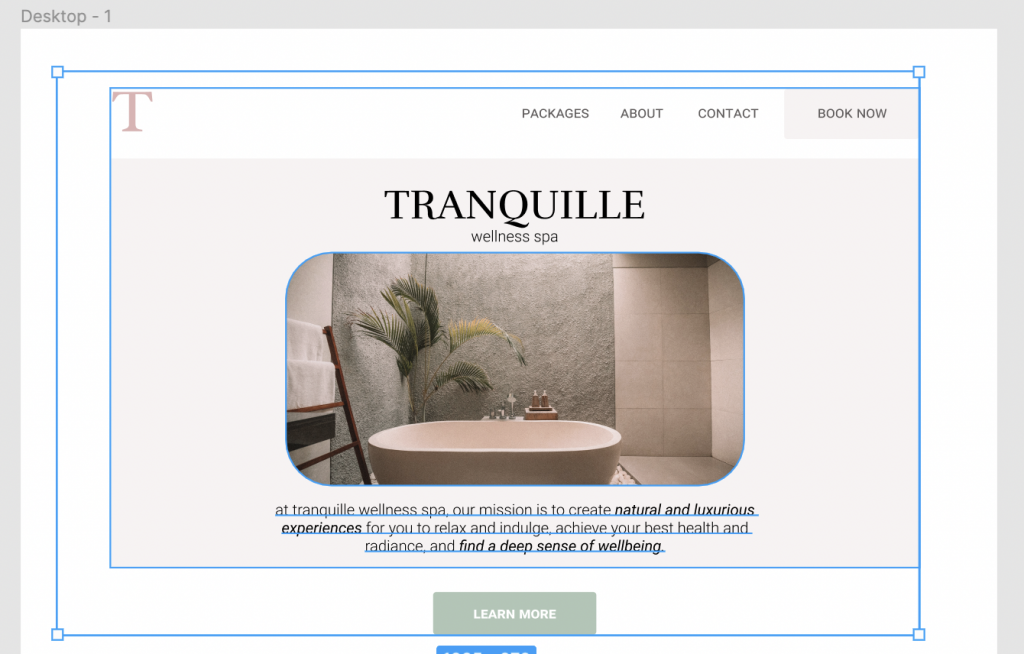
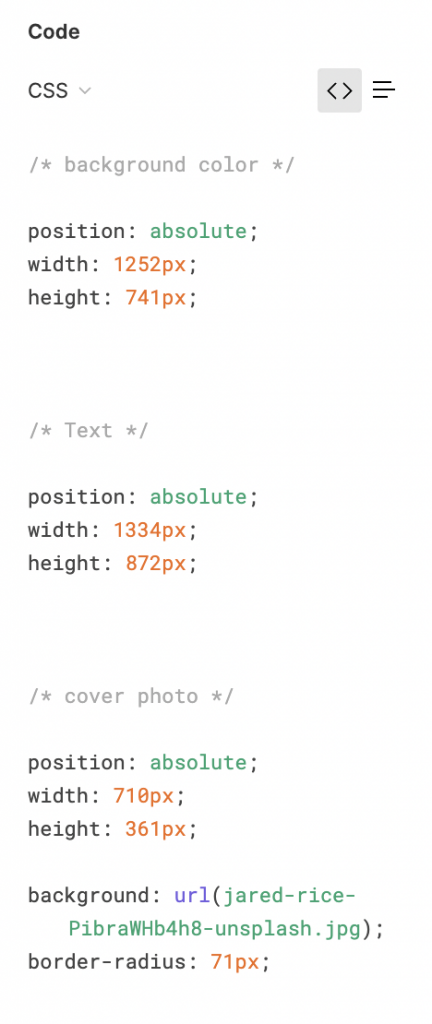
Another feature that I personally think is very cool is the “Inspect” tab. While creating my microsite drafts, I’ve been able to get an idea for how it would look to build my site thanks to Figma. Here’s an example of a selected area and the provided CSS from Figma:
All in all, I think it’s an awesome idea to try Figma out at least once to become familiar with it. Figma rules!