
Overview
What is GROW?
GROW is an application designed to encourage and educate communities on healthy eating and provides opportunities for individuals to engage in such actions more easily. The app encourages learning about gardening, sourcing foods, and attending local community events.
Who is the target audience?
While healthy eating and living habits are encouraged for everyone, GROW is designed for all adults ranging from 20-40 years of age. Doing so encourages active participation in healthy habits and encourages action in local activities and events that build communities.
What problems does GROW solve?
While knowledge is everywhere, it can be hard know what you need. GROW provides helpful and easy resources for everyone and does the work for sourcing local events. Community building is also encouraged, and users can lean on each other to ask questions and learn more.
Brainstorming and Mind Maps
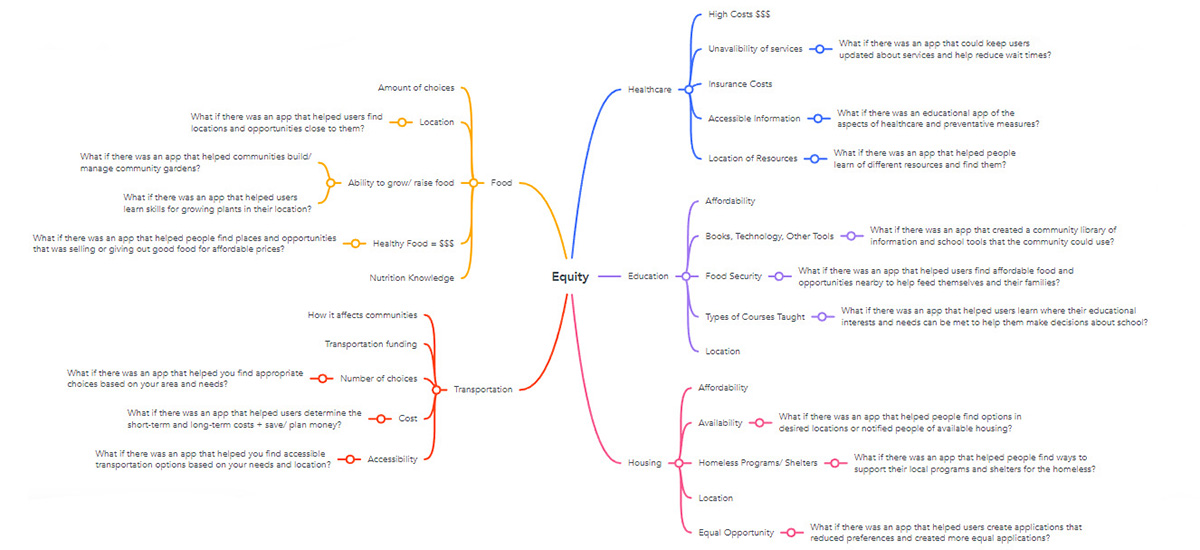
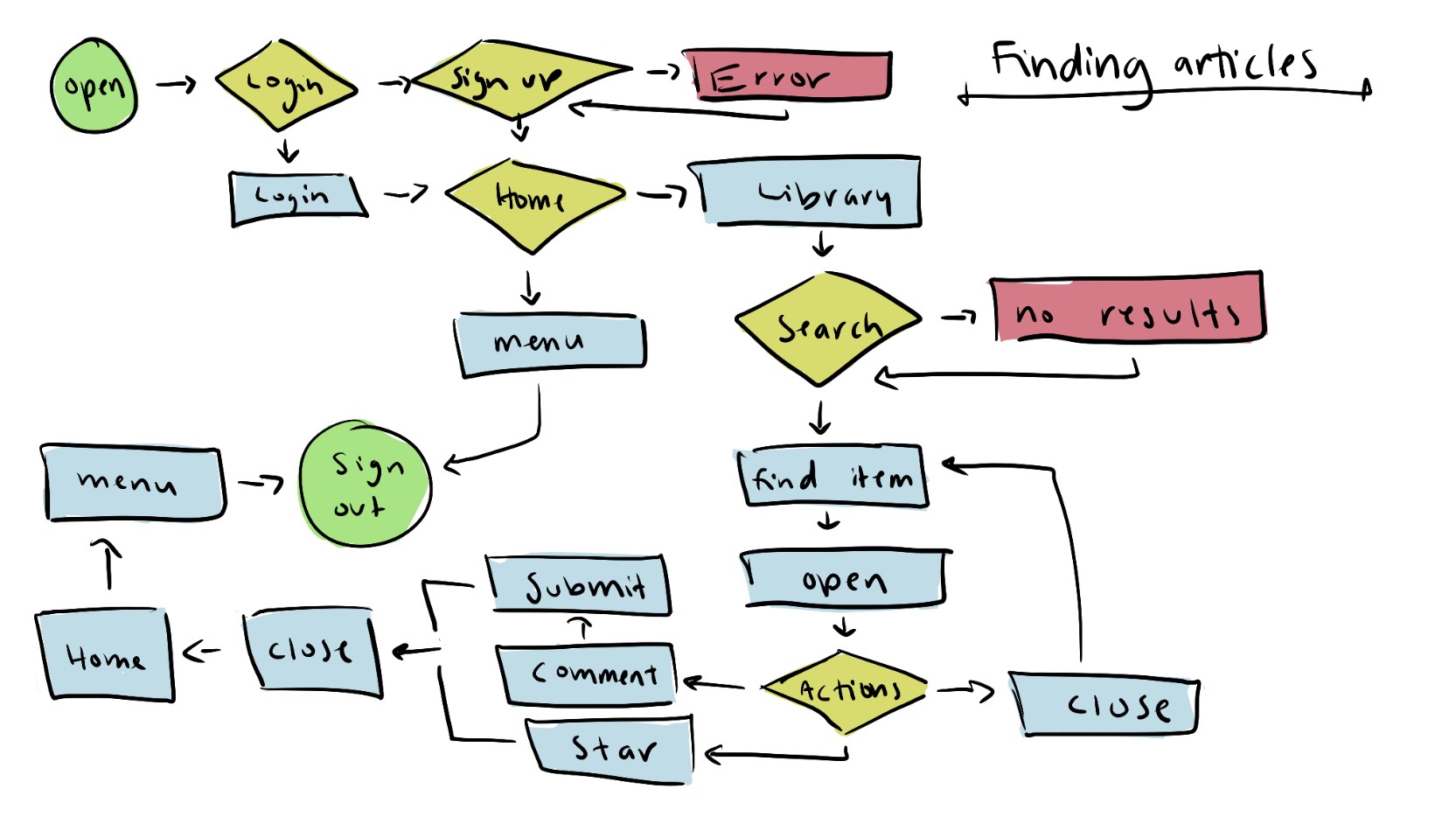
To begin this project, I first began by considering ideas regarding equity and how an app could help solve potential equity issues in our community. After some initial brainstorming, I begun to create a mind map to document my thoughts and fully develop ideas and potential paths to go down. I ultimately settled on creating an app that solved a food equity issue, but there are still many interesting ideas to consider. I also developed a user flow chart to visualize potentail actions a user might take in a given task to better visualize this app and develop a plan for what I need to do next.
UX Research
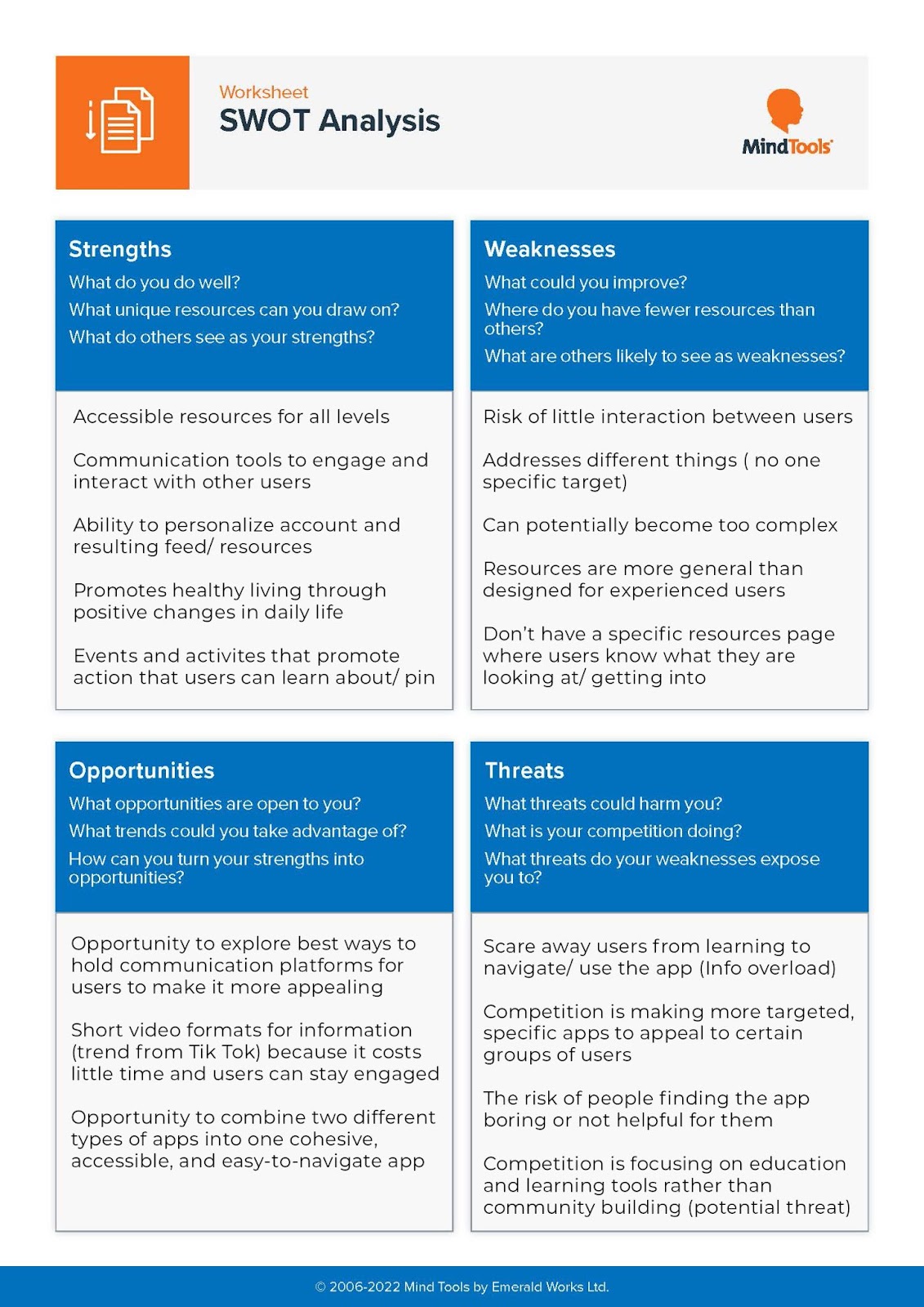
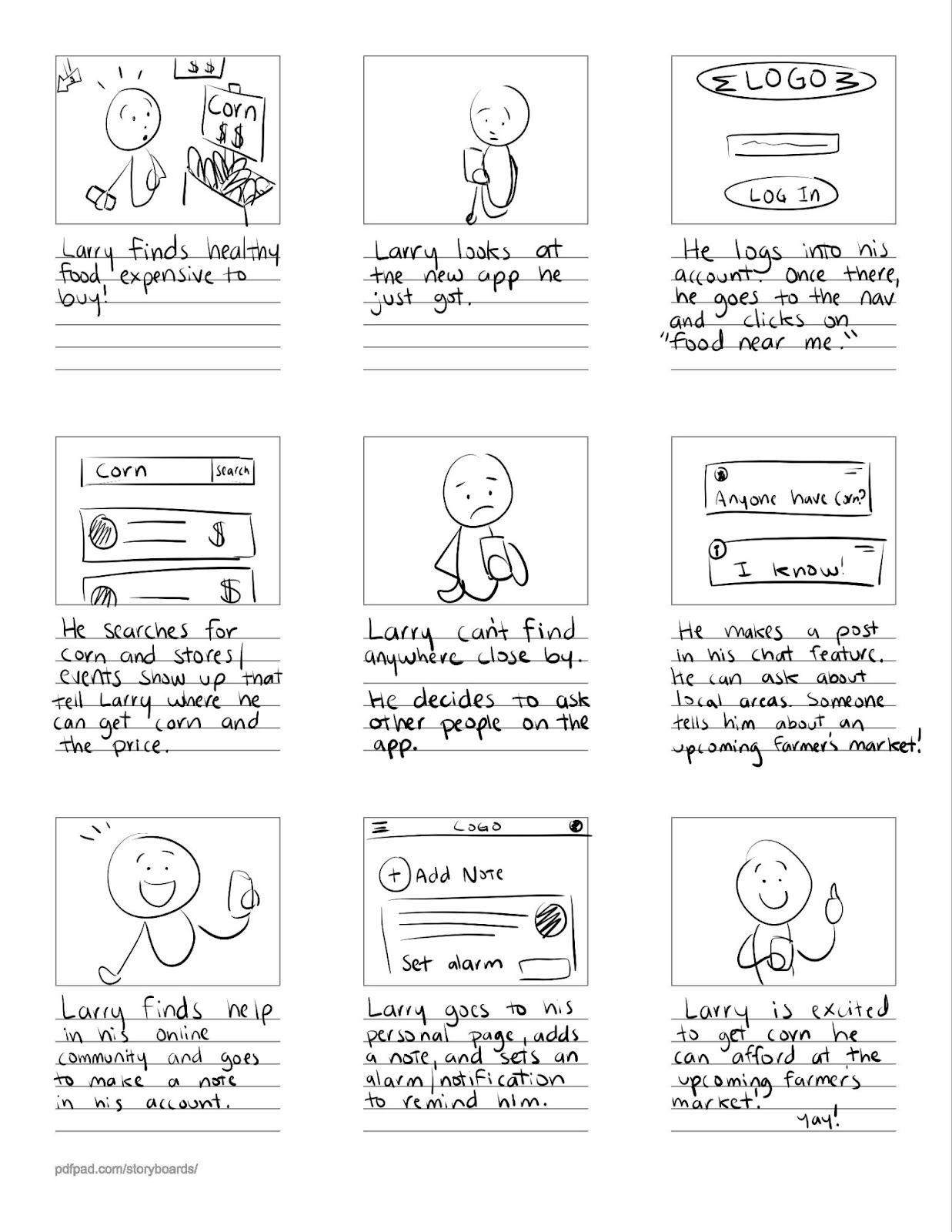
As a part of my effort to create and design the GROW app, I have been doing some research in preparation to help me have the tools and knowledge I need to design a better app. As a part of my research, I looked at competitor applications, completed a SWOT analysis, and also drew up a storyboard to visualize how a user might interact with the application. Looking at competitor applications helped me see what are the most common tools, how they are designed, and also helped me discover new ideas and ways to achieve a goal. As for the SWOT analysis and storyboard, those helped me personally explore how I envisioned this app, what I needed to concern myself with, and helped me see how other people see and could possibly interact with such an app.
App Design
Events Search Systems
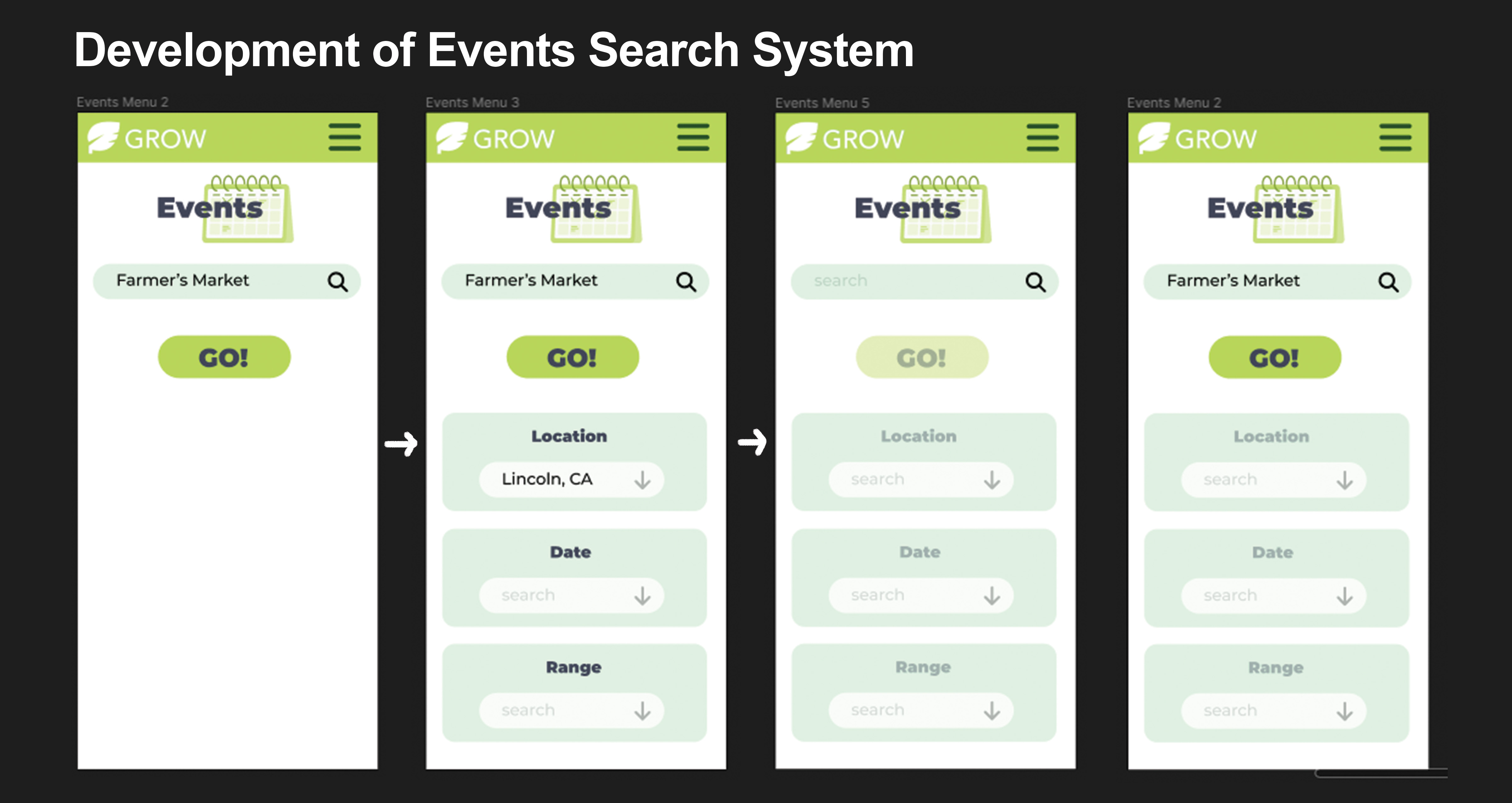
As I was developing the app design, I was aware of branding decisions and the size of elements in relation to the size of a phone screen. However, the main focus of my designs were built on making the interaction better for the users. While developing a search bar for an Events page, I first began with a basic search bar but then realized it might be helpful if you could narrow down searches further. Having filter options might also help users if they don't know what to search for specifically. After adding these filter options, I created an interactive element with the "Go" button to indicate that a user could now search results if they choose. This development was insightful and I feel that it has developed into a more user-friendly design.
Library Article Designs
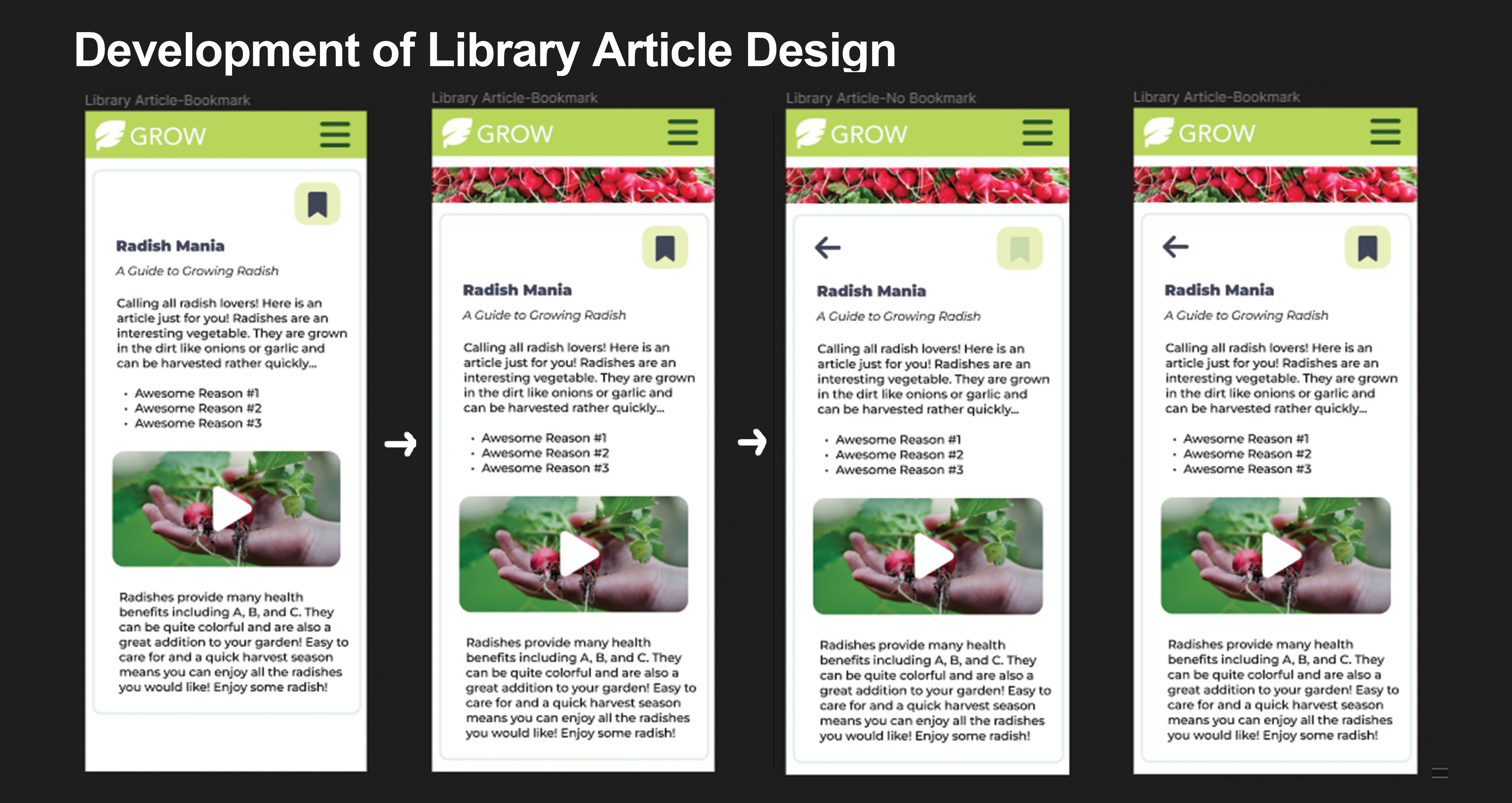
One of the key elements users interact with is the reading of information since this is an information-based app. When designing these articles, I went through severak rounds of revisions to provide the right tools for interaction. As I got feedback from my peers, I went from a basic information layout to a design with more color and visual appeal by adding a top banner. This also helps the user know where they are. Another key element I added was a back arrow as it is important that users can go back and do other things without having to use the menu. Finally, I polished the design on bookmarking an article as savign these resources may be something a user would do. Having an indicator that this article is saved or not saved was important to visually show.
Tasks
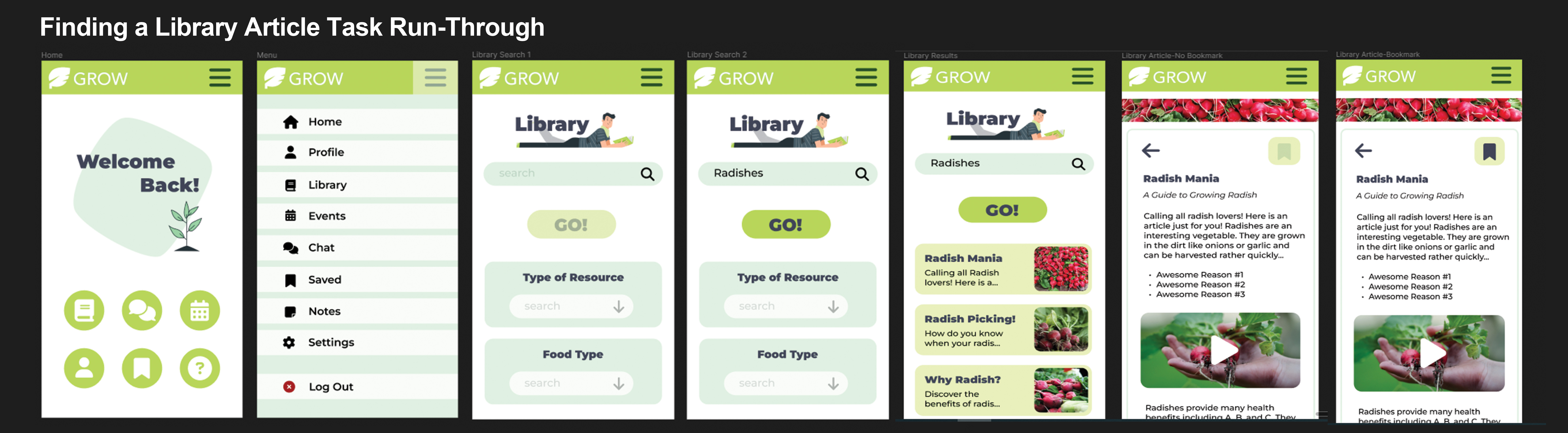
Users can interact in several ways with this app. Tasks include navigating to the Events and Library pages, utilizing the search options to optimize results, and interact with results by reading and saving them to a personal library. Users can also interact with the menu options and quick link buttons on the homepage to navigate to other places in the app. View the image down below to see how the following tasks can be done.
- Task 1: Finding articles and resources in the Library
- Task 2: Bookmark an article.
Usability Tests and Further Development
An usability test was conducted for the app prototype “GROW” on May 5th, 2023. This test was conducted to test the functionality and user ease for the app, “GROW,” so that proper changes can be made to ensure it is at its best in both design and functionality. Two participants were engaging in this test and they explored the prototype and attempted to complete three predetermined tasks.
Overall, the results indicate how effective the tasks are and how easy they are to use. The tests concluded that there is an overall high success rate, with a few improvements to be made which are noted further below in the Recommendations section. Some of the said improvements include creating better icons, fixing navigation errors, and improving ease of use. Doing these tests helped me look at the app through new eyes and if there was more time for me to do testing, I would spend more time with the participants (and have more participants) and get more information from them regarding their thoughts, impressions, and suggestions for improvements. To further develop the app, I would take into consideration their suggestions and develop imagery that would connect with users immediately since there was some confusion in the tests.
Summary
Working on this project has given me experience in designing and creating an app from concept to working prototype and the experience has been wonderful. It has had its challenges but I enjoyed working through problems and considering what elements and interactions I should add to my app and why. Working on the prototype itself was also new and I learned a lot about the process. I am most proud of my ability to design an app as I feel that my design choices are becoming better as I continue to grow as a designer. It's not perfect and I am always looking to improve, but I am happy with what I was able to accomplish. The most difficult part was getting the prototype to work but tht was a part of the challeges that made this project rewarding.