Questlog Case Study

Bryson Soto

Project Overview

The Questlog app draws inspiration from video game quest journals to provide an interesting new take on to-do lists. People with busy schedules and many goals and projects can easily find it overwhelming trying to keep track of it all in their head. Questlog is designed with those people in mind, and offers features that make it stand out from the abundant competition.

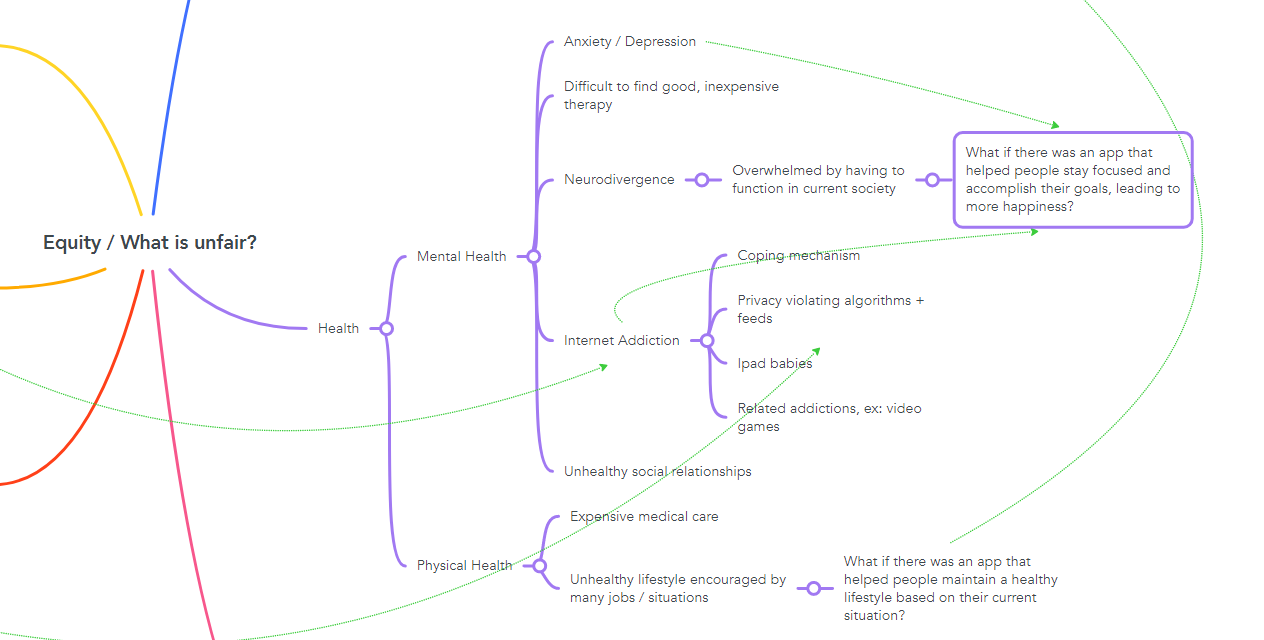
I am the type of person who struggles with productivity and motivation. I tend to procrastinate and pay less attention to my long term goals, often due to not knowing where to start, or how to pick up where I left off. This is an issue many people can relate to— especially those with ADHD, depression, or executive dysfunction. I believe that this app has the potential to help myself and others lead happier, more productive lives.

Questlog offers features to help users keep track of tasks, long term goals, and deadlines. Its unique quest-based organization system allows users to see their tasks in thr context of what's been completed so far, along with how each task connects to big picture goals. Tasks are chained together to make it easy to know what to do next, and Quest Chain Rewards help users to remember the real world benefits they will gain by accomplishing them.
Project Research

I began my research by looking at a lot of RPG video game quest journals: Breath of the Wild, Cyberpunk 2077, Nier Automata, Elder Scrolls, Genshin Impact, and more. I took careful notes of the features each of these quest journals had and how information was organized. From this I was able to find useful design patterns. The quest journals all had at least two or three different categories of quests with different levels of complexity and length. Along with tasks, the quests each had a description of why the player was doing this. This description would update as the quest progressed so that the player always knew the context of what had already been done and what they needed to do next.

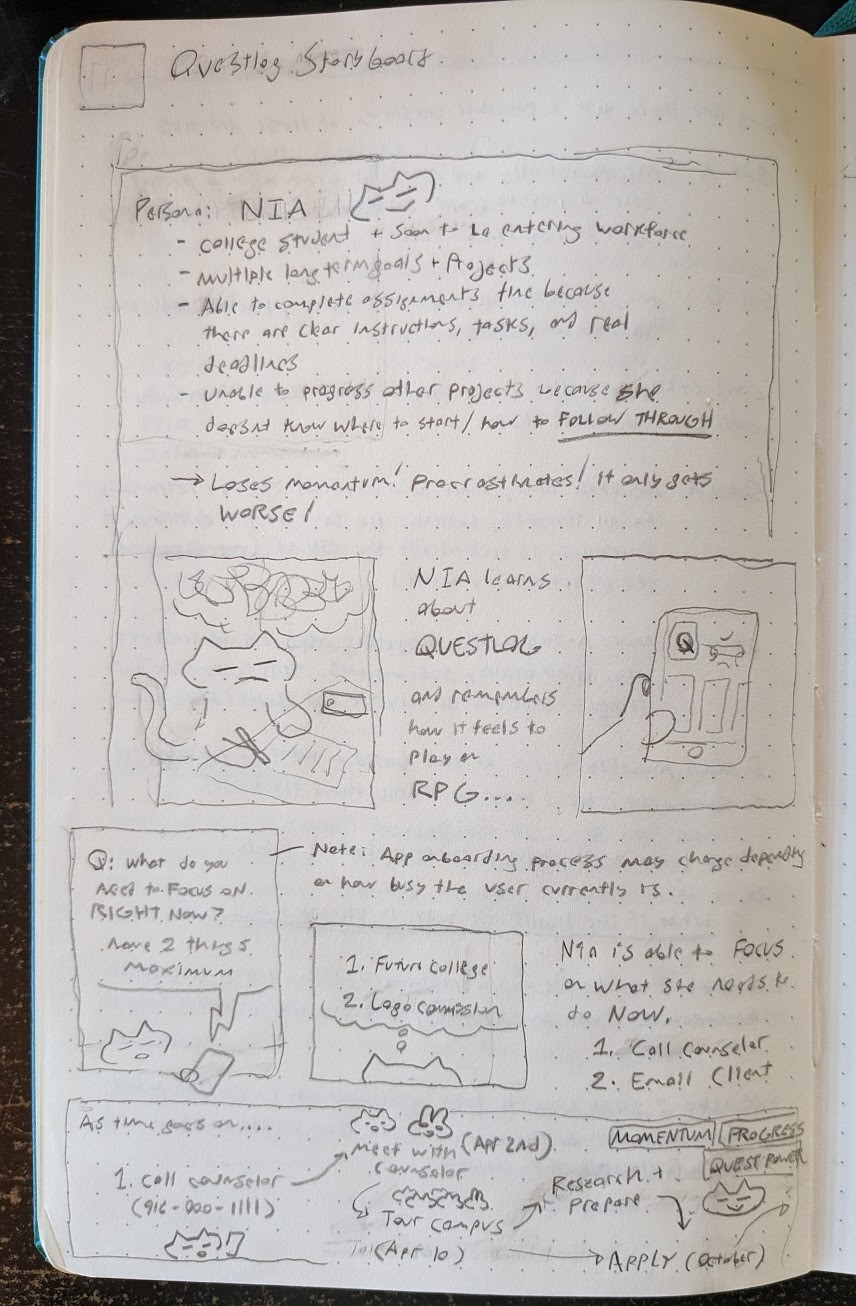
Next, I downloaded a bunch of to-do list apps and noted their features and design patterns. One app in particular, Habitica, stood out as it was also themed after and RPG. Studying it allowed me to refine my idea and figure out how my app would stand apart. While Habitica focused heavily on habits and gamification to motivate users, Questlog would focus on goals, connected tasks, and more grounded sources of motivation. From my research I created a SWOT chart and storyboard, pictured here.

App Design

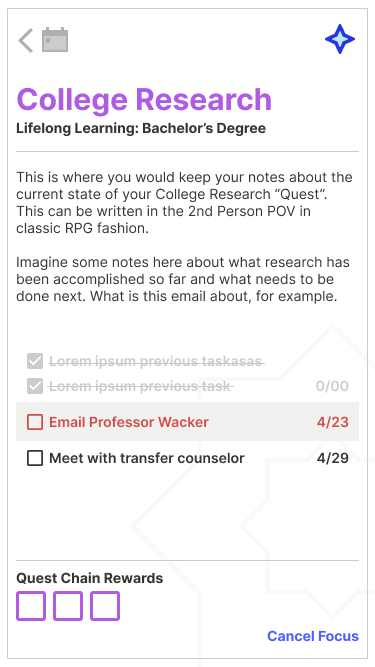
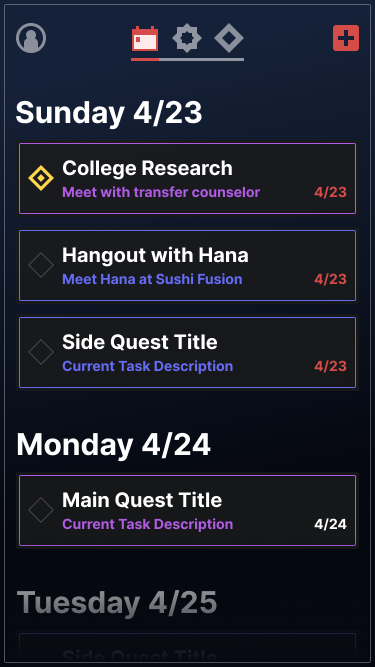
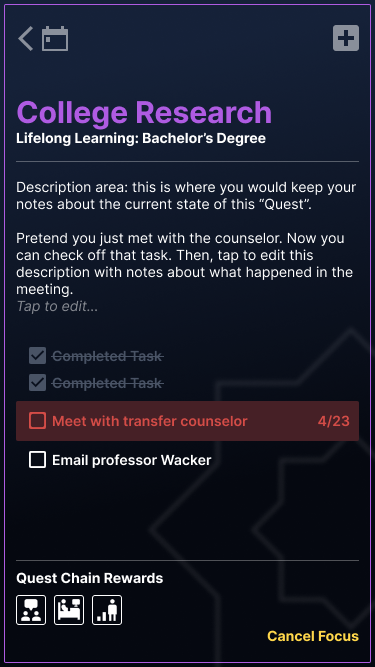
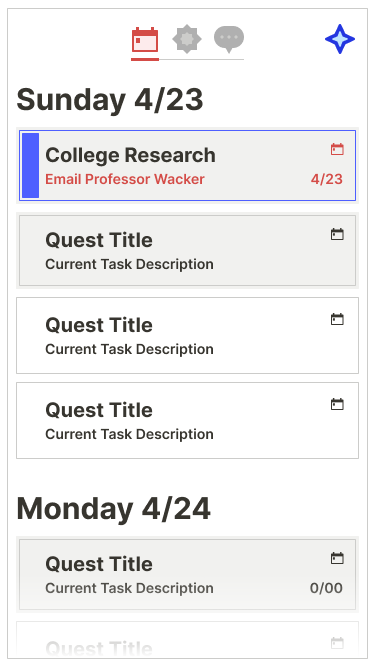
Entering the prototyping phase, the first thing I designed were the “quest banners”. Pictured here, they are the rectangles containing the quest title, task description, and date. These banners are an important design element found in most of the RPGs I studied and give the user the most relevant information at a glance. Tapping a quest banner leads to a quest page which has sections for the title, description, tasks, and rewards.

My original layout, based on a combination of the apps and games I drew inspiration from, stayed fairly consistent as I refined the interface based on further research and feedback. It was important to me that Questlog have a strong visual identity to make it stand out from the competition, so I turned to RPGs for inspiration there as well, eventually incorporating subtle gradients and thin borders.

Tasks For Users

1. Navigate between Scheduled, Main, and Side Quest lists

Quests in Questlog are organized into two categories: Main and Side. Main Quests relate to the user’s long-term goals, while Side Quests are more basic and are not connected to larger goals. The app lets you view these quests by category and also offers a Scheduled Quests list for all quests that include tasks with due dates. These lists can be accessed by swiping in the corresponding direction or by tapping the icon in the top center.

2. Complete the “Meet with transfer counselor” task

To mark a task complete, the user first has to find the relevant quest banner. In this case, the “Meet with transfer counselor” task is part of the “College Research” quest, which can be accessed from the Scheduled or Main Quests lists. Once there, tap the checkbox to mark the task complete. The user is prompted to take the time to update the quest description with notes about what happened in the meeting as well as more detail on the next email task. This will give them helpful context for continuing this quest later if they have to put it on hold for awhile.

3. Complete the “Hangout with Hana” quest

Completing a quest is a similar process. This quest can be found in the Scheduled or Side Quests lists. Tap the check box to complete the final task. The user is then given the option to add a new task or complete the quest, depending on the situation. For a simple hangout with a friend, the hangout itself is usually the culmination of the “quest”, although it would be possible to add a task based on what happened during the hangout, such as “send Hana the link to that youtube video you mentioned”. However, in this demo there are no tasks like that to add, so the user marks the quest complete. They are met with a congratulatory “Quest Complete” screen listing their accomplished tasks and the rewards they receive. In the case of this simple hangout quest, the reward is “Social bond increased”, prompting the user to take a moment to appreciate how their actions led to a fun, successful hangout.

4. Create a new Side Quest

Quests can be created from a variety of starting points: any of the plus icons on the top right of all the quest lists or the “Create new” buttons on the Main and Side Quest lists. Tapping one of these brings up a screen prompting the user to select which type of quest to create. This demo allows users to create a new side quest, which begins as an empty template. The first step is to title the quest. The description comes next, with the placeholder text giving the user some suggestions on what to put. After that, the first task is added, and given a due date via a mini calendar popup. Finally, the user can add “Quest Chain Rewards” from a list. In this case, the quest is completing a final project. How about 1 hour of Netflix? Exiting the quest view displays a “Quest Created” screen to complete the process.

Usability Testing & Further Development

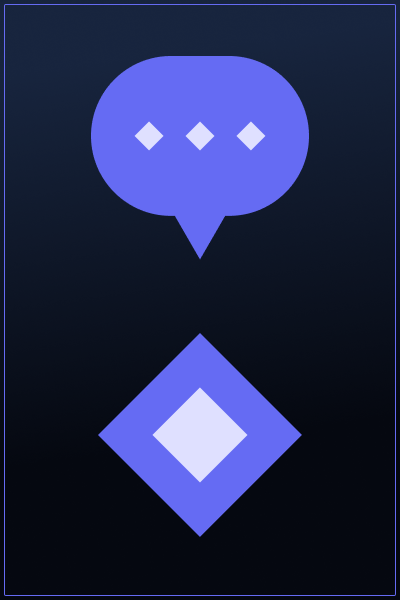
I conducted a few informal tests where I shared the prototype with my friends and asked for feedback. In addition, I tried out a more formal test, where participants were given tasks to complete while I took notes. The app received positive feedback overall, especially on the visual design. Participants were able to complete all tasks successfully, but did have comments on what could be improved. One significant change I made as a result of feedback was updating the side quest symbol from a speech bubble to a diamond. The speech bubble symbol is a common design pattern for side quests in RPGs, which usually involve talking to characters and doing favors for them. However, a test participant who was unfamiliar with RPGs found this symbol confusing, as she expected it to be some kind of chat feature. Taking this into account as well as the fact that side quests in Questlog don’t necessarily involve talking to anyone led me to change the symbol to something more neutral.

I learned a lot from creating this prototype, and while I’m happy with how it turned out there are a few things I would like to add and change. I think the design would benefit from larger text and wider spacing overall. I would want the prototype to take a less conversational approach with the user, as the way I used the description area to leave notes for the user seems like a less immersive approach than presenting the descriptions how they would actually look. In place of these description hints, I would want to create an in-app tutorial like a user would see when first downloading the app. There are a few features hinted at in the prototype that haven’t actually been created, like a user profile page and the ability to create Life Goals and Chapters for Main Quests to be categorized into. Finally, I would love to add animations once I learn how, which would add some exciting depth and energy to the interface.

Summary

Creating this prototype has been a fascinating learning experience. I have been doing graphic design for awhile now, but this may be one of the most complex projects I have attempted. Making a screen layout is one thing, but seeing how it fits together and connects into an interactive experience navigated by a user was a totally new challenge. It made me appreciate the research, planning, and testing aspects more, as those helped keep the design grounded and functional.

I’ve had the concept for Questlog in mind long before I took this class, and it’s interesting to compare how I imagined the app in my head to how it actually turned out. There were quite a lot of gaps in my imaginary version, mainly with how the user would actually get from Point A to Point B. Because I had a ton of RPG quest journal interfaces to reference for the layout of the main screens that part was fairly easy, whereas creating the pop-up menus and editing functionality ended up being a challenge. Learning how to effectively use Figma components was difficult but extremely useful, and I’m interested in how I can incorporate more advanced features to make prototyping even quicker and more elaborate.

I still think I could push all aspects of the design even further, aesthetically and functionally, and I plan on doing so as I continue to learn and practice. I hope to get the chance to create a real Questlog app someday, as I genuinely believe it could help a lot of people, not to mention just being a fun concept in general. I’m excited to revisit this concept and process when I have even more time to research, test, and iterate.