Community Connect - UX/UI Case Study

Pablo Ortega Lopez (POL)

pol@polanimation.com
 

Project Overview

Community Connect is a mobile app designed to build stronger local communities by connecting residents who need assistance with those willing to help. It facilitates everyday tasks like tutoring, pet walking, furniture moving, and carpooling. By bridging gaps in support networks, the app promotes engagement, cooperation, and equity. It aims to reduce social isolation, alleviate daily stress, and create a collaborative environment where neighbors can easily support one another.

The target audience for Community Connect includes urban and suburban residents who lack immediate support networks. This encompasses young professionals managing busy lives, older adults needing assistance, parents juggling multiple responsibilities, and newcomers seeking connections. The app helps these individuals easily find support, fostering a sense of community, cooperation, and mutual aid in their neighborhoods.

Community Connect addresses issues of accessibility and social isolation by making it easier to request or provide help with tasks such as moving furniture, walking pets, tutoring, or carpooling for children. By encouraging collaboration, the application aims to relieve the stresses of modern life, promote equity in resource sharing, and create a sense of belonging. This project was born from a reflection aimed at improving interactions between neighbors and meeting daily challenges through technology.
Project Research

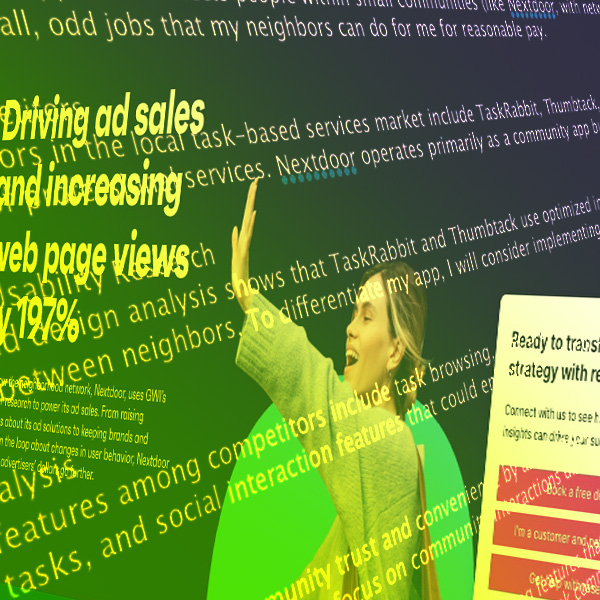
Research revealed the need for a community focused app that fosters local connections rather than purely transactional exchanges. Competitive analysis of TaskRabbit, Thumbtack, and Nextdoor highlighted the importance of trust-building features like user profiles, ratings, and messaging systems. Interviews with potential users, including small business owners, parents, and professionals, emphasized the desire for clear communication, fair compensation, and privacy protection.

This feedback led to integrating task categories, optional tipping, and community verification. The insights also shifted my focus from solely task-based assistance to encouraging ongoing, supportive relationships. By prioritizing mutual trust and convenience, Community Connect aims to reduce social isolation and promote meaningful neighborhood interactions. Research shaped the app into more than a tool for help — it became a platform to nurture dependable community bonds and strengthen local networks.

App Design

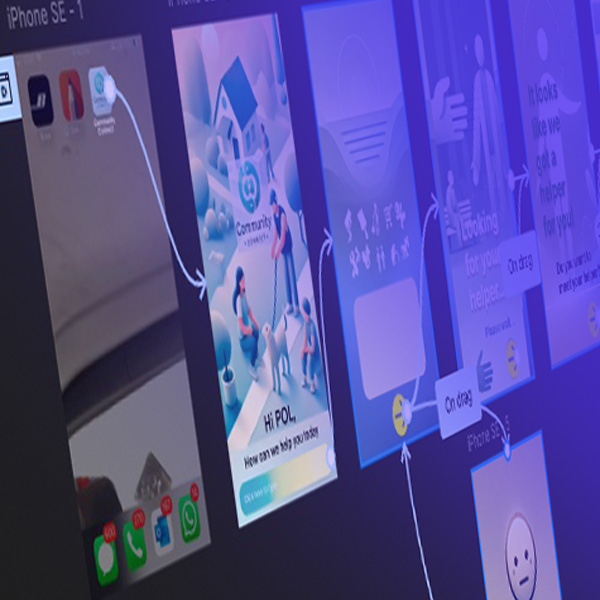
In designing Community Connect, I focused on simplicity and clarity to make the user experience intuitive. Inspired by research showing that American users prefer clean, minimalistic interfaces over busy, element-heavy designs, I avoided cluttered screens and excessive buttons. Each step in the app’s workflow is broken down into successive screens, making tasks easy to follow. By limiting the number of actions on each screen, users can quickly understand and complete tasks without feeling overwhelmed.

I chose soft, cool-toned colors to maintain a sense of calm and freshness throughout the interface. This approach helps reduce cognitive load, making navigation smoother and more enjoyable. Feedback from early testers confirmed that this clean design promotes efficiency and clarity, ensuring that Community Connect remains accessible and welcoming to all users seeking community support.

Tasks For Users

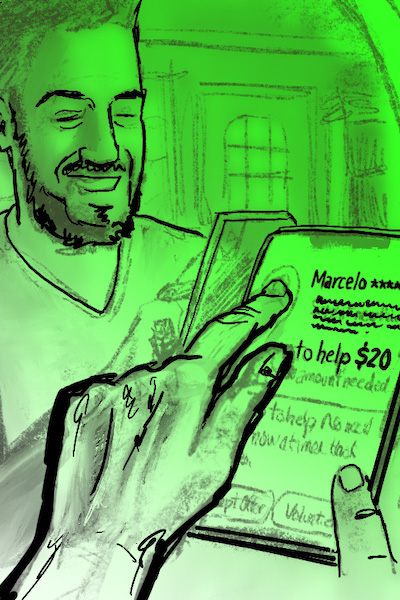
In Community Connect, users can efficiently request and provide help for various everyday tasks, fostering local community support. The app’s design focuses on simplicity and ease of use, guiding users through each step without overwhelming them. The task-request process is straightforward: users select “Request Help” and choose between options like “Little Task (tip)” or “Larger Task (negotiable payment).” This flexibility allows users to specify their needs clearly, whether it’s for moving furniture, pet walking, or tech assistance.

For example, a user needing help moving a bookshelf can post a task, offering a suggested payment amount. Neighbors receive notifications and can choose to accept, suggest a new amount, or volunteer for free. The app encourages communication through pre-written messages that users can customize, ensuring clear and respectful interactions.

The prototype shows successive screens that guide users through task selection, payment offers, and feedback, minimizing clutter by avoiding excessive buttons. This approach caters to users who prefer clean interfaces, as research shows that simpler designs are more effective in American contexts compared to busier, element-heavy interfaces. Once a task is complete, users can express gratitude by leaving tips and feedback. Positive feedback boosts community reputation, fostering trust and ongoing collaboration. Additionally, the app promotes kindness and respect, with reminders to follow community guidelines. By offering intuitive navigation, clear task categories, and soft, calming colors, Community Connect makes finding help or offering assistance a seamless and enjoyable experience. This design supports the app’s goal of building stronger, more supportive communities through mutual aid and cooperation.

Usability Testing & Further Development

Usability testing for Community Connect revealed valuable insights that helped refine the app’s design and functionality. Feedback from interviews highlighted key features like task categorization, tipping options, privacy, and trust-building mechanisms. Participants, including small business owners, parents, and professionals, emphasized the need for clear communication, easy task posting, and fair compensation. One significant finding was the importance of a rating and feedback system to build trust and accountability. Users suggested that profiles with ratings and previous interactions would make them feel safer and more likely to trust helpers. Privacy was another concern; participants recommended options to mask contact details to protect users' information.

Testers appreciated the simplicity of the design but suggested improvements, such as the ability to filter tasks by category and set availability preferences. The inclusion of tipping options and the flexibility to negotiate payments were also well-received, as they made interactions feel fair and respectful. Future development could expand features to support local business promotions and integrate neighborhood events, making the app a hub for community activity. Additionally, incorporating a gratitude wall or a system to recognize helpful neighbors could strengthen community bonds. These insights guided the app’s evolution from a simple task-based platform to a community-oriented tool that prioritizes trust, privacy, and mutual support. By continuously iterating on feedback, Community Connect can grow into a comprehensive platform that fosters meaningful connections and supports thriving neighborhoods.

Summary

Community Connect is a mobile app designed to strengthen local communities by connecting residents who need help with those offering assistance. It supports tasks like tutoring, pet walking, and furniture moving. By promoting engagement and cooperation, the app helps alleviate social isolation, reduce stress, and create an environment where neighbors can rely on each other.

Research and user feedback emphasized the importance of trust, communication, and simplicity. Competitive analysis and interviews led to the integration of task categories, optional tipping, and privacy controls. The app’s clean design and intuitive workflow ensure tasks are easy to navigate, with features like ratings and feedback to build accountability and trust between users.

Future development will focus on enhancing community engagement by adding features like local business promotions, task filtering, and a gratitude wall. These improvements aim to make Community Connect a comprehensive platform that prioritizes trust, privacy, and mutual support, fostering dependable neighborhood relationships and promoting stronger, more collaborative communities.