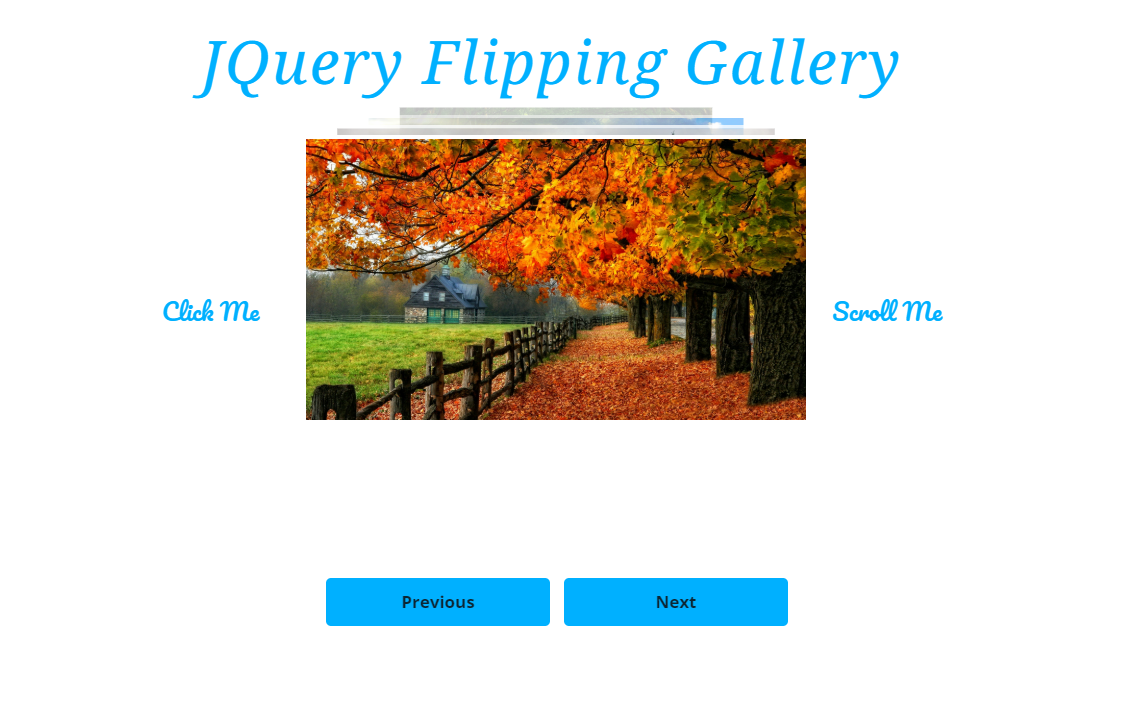
The Flipping Gallery allow you to create a visually appealing gallery of photos of your choice. It is interactive, allowing theuser to either click or scroll through, or wait for it to flip through automatically.
Project Overview
Kaden Rhoades
The Flipping Gallery allow you to create a visually appealing gallery of photos of your choice. It is interactive, allowing theuser to either click or scroll through, or wait for it to flip through automatically.
To begin, download the attached .zip file: Files Here
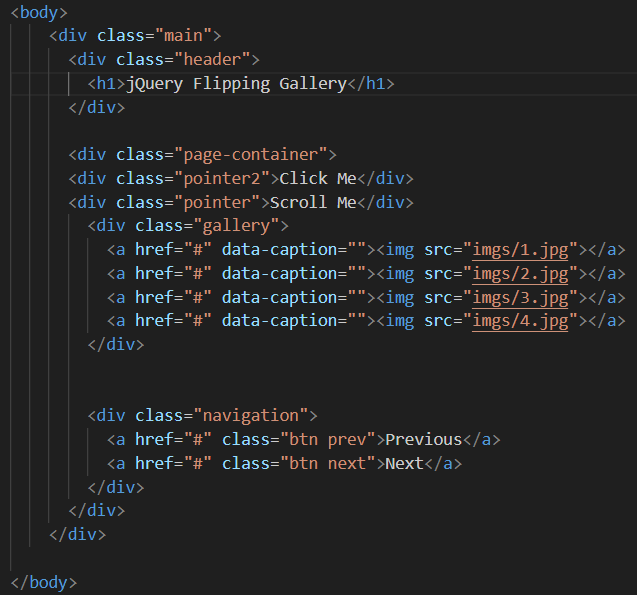
First begin with the body. You can have as many photos as you want by adding more lines. Go ahead and insert your own images into the src attribute.
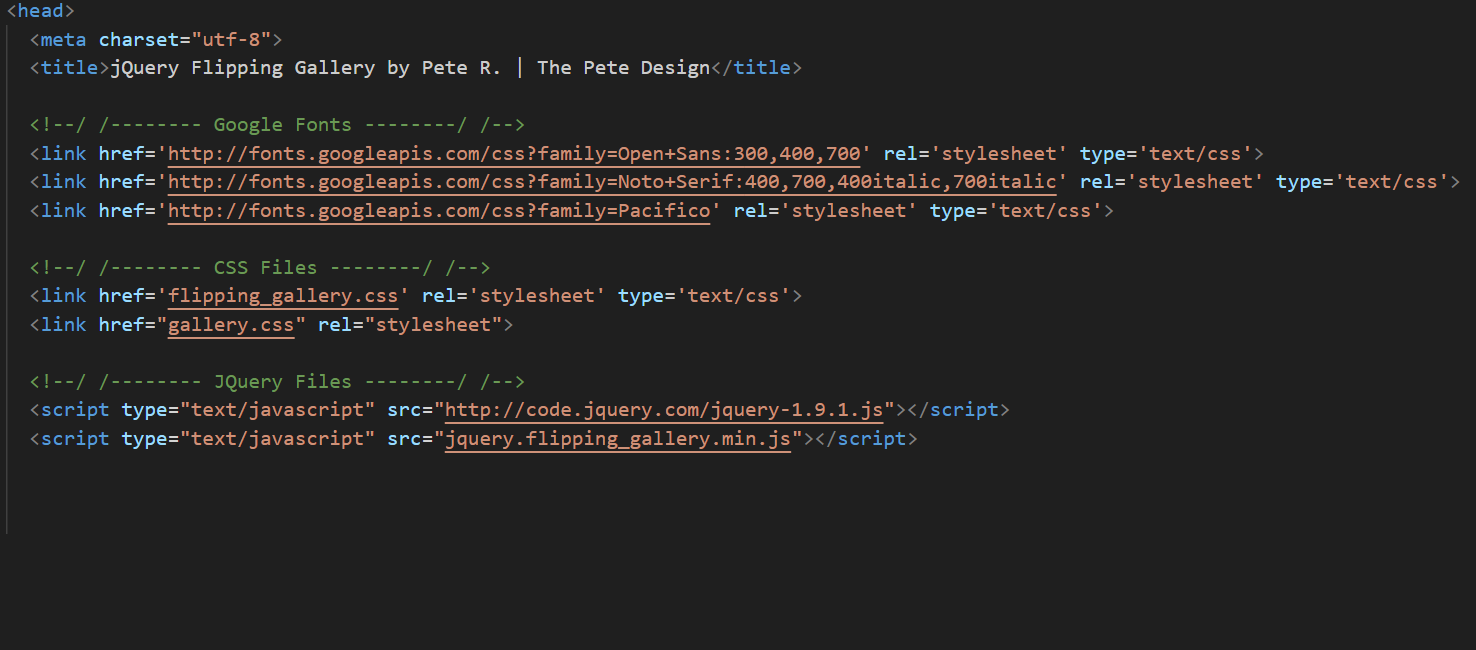
Next enter the code for the head. The Google Fonts are not necessary but they do add character. New fonts can always be swapped as well.
Any code in the gallery.css can be edited to change the button design and positioning of the gallery.
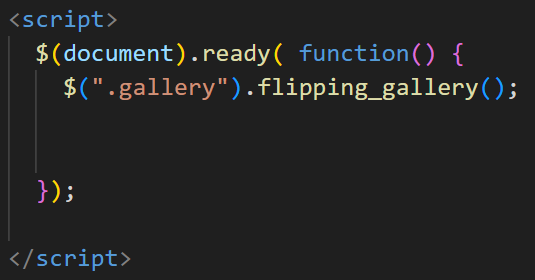
Make sure to enter the JQuery call before the plugin. Since the Javascript needed for this is short, we can enter it directly into the HTML file.
The full code is here:
<!--/ /-------- Google Fonts --------/ /-->
<link href='http://fonts.googleapis.com/css?family=Open+Sans:300,400,700' rel='stylesheet' type='text/css'>
<link href='http://fonts.googleapis.com/css?family=Noto+Serif:400,700,400italic,700italic' rel='stylesheet' type='text/css'>
<link href='http://fonts.googleapis.com/css?family=Pacifico' rel='stylesheet' type='text/css'>
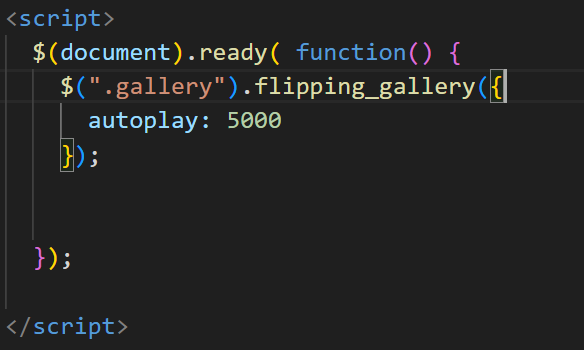
Next step is to call the plugin as shown here.
Then we call add autoplay. This will allow you to change the time (in milliseconds) it takes between each photo. For example, here the images will change every 5 seconds.
Here we are adding the code for the Next button.
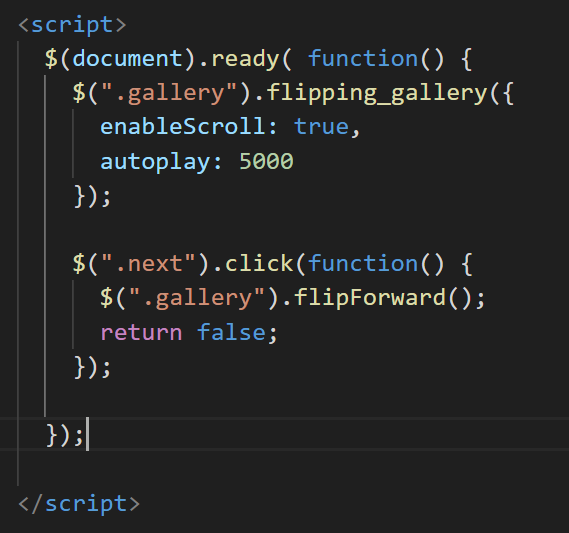
This is what the jquery script should look like at the end.
