SoSafe

UX/UI Case Study

Lorelei Craig

My encoded Email

Project Overview

Overview Image

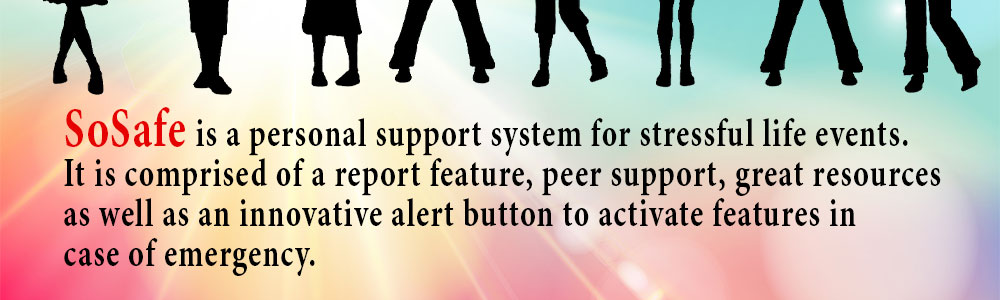
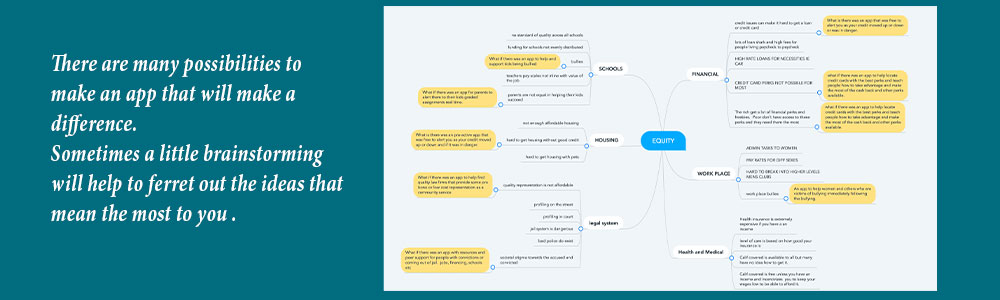
This project is to create an app for young victims of bullying and harassment. This app is intended to be a safe place for young victims of bullying to get related education, emotional support, and useful incident recording and reporting and learn how to handle an incident as it is happening and immediately after.

Some of the goals would be to reduce the number of children and teens living in stress and fear due to bullying or harassment and lower teenage suicide rates. Empower victims to help others, which in turn could lead to fewer victims transitioning to becoming a bully. Teach victims useful learn long-term coping skills. The app would also gather useful data to help work places and communities and schools understand what is going on in their areas. I need to reach a high number of subscribers within a short period of time so the support system can carry itself. I need to develop the blog with a built-in database for the reporting system. I need an educational library of resources. I need the panic button developed and functional. I need the profile creation tool developed with the external support system built in.

My Target audience would be any child up to high school age who is a victim of peer bullying at school and in social media. My indirect target audience would be parents and teachers and school administrators and support staff. It needs to be attractive to this indirect audience so that they support and encourage its use. This will be major to the success of the app.
Project Research

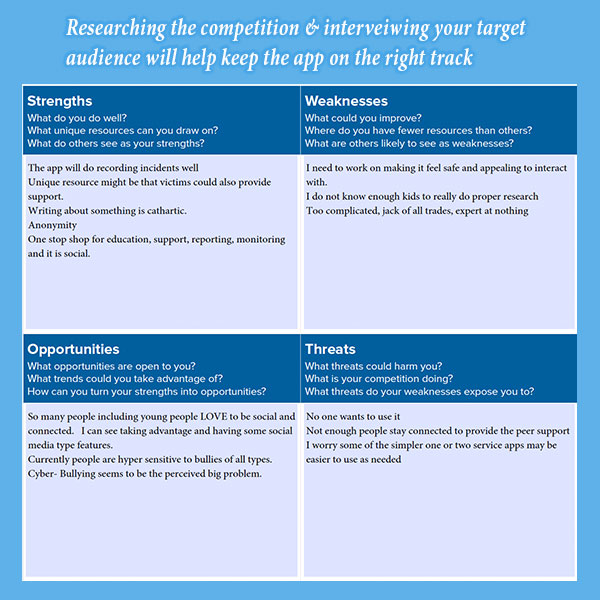
In my competitive market research I was surprised to find that there was not a lot of bully victim support apps. There was an app that was for parents and children to go thru together, there were a couple good reporting apps. There are actually quite a few journal or blog apps. There is one called 5 minute journal that was very interesting and gave me ideas. None really included a peer support feature. I wanted to find something that was interactive and customizable and there really isn’t anything. It did seem like getting teachers and parents to be supportive would be helpful.

My interviews went well and I began to consider that some young people want to pretend like nothing happened and therefore would not use an app. I felt that being able to be anonymous would be a good feature. Getting peer support and also giving peer support might help draw kids out. One person I interviewed asked me what the difference is between this app and social media. That question surprised me. I had not looked at it that way. My research helped me realize what was well thought out and what needed more work.

Project Research

App Design

App Design

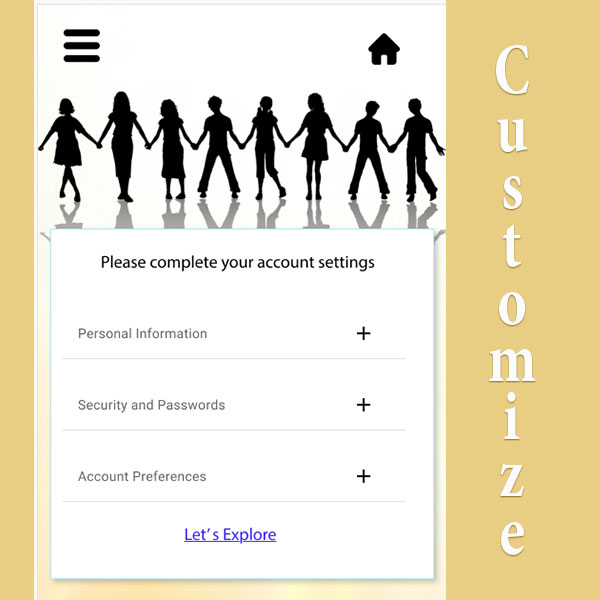
I chose the image of teens holding hands. I felt this would appeal to the largest age range of young people. In the beginning I did not have much color later I chose colors that related to happy and relaxed and supportive. As I worked thru the prototype I realized that I needed the look to be able to go from grammar school to high school. I felt it had to be somewhat appealing to adults who could make or break or it. I did not intend for settings to be so robust and play a key role in how the app functioned but as I developed the prototype it became a great idea so that a user could automate many features by typing once in settings.

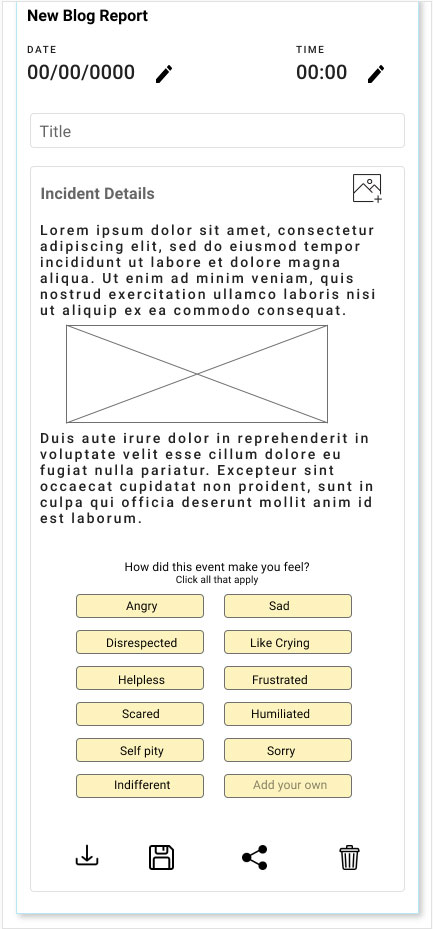
I started out with a basic blog report but after reviewing the 5 minute journal I added in the feelings buttons which are quite smart to track and graph how events make the user feel over time. It was an afterthought to offer images in the reporting feature. I realized that there is social media bullying so screen shots are a great way to record something without a lot of typing.

Tasks For Users

After the user signs up they are encouraged to begin customizing their settings. The settings are designed to make the rest of the app work for the user. If the user takes advantage of the settings they will have a lot of built in functionality based on how much or little they want to take advantage of. Settings will allow a person to be totally anonymous or their real self or anything in between. They could set up key words that would help find a peer. They could set up the way they want the panic button to react. They could be invisible. They could make their own incognito name. They could name an outside resource person(s) in case of emergency. If they choose to skip this process they will still have all the functionality but they will have to enter some potentiality repetitive data every time they perform a task. Once the user has created an account they will always enter at the SoSafe Hub. They will be able to create an incident report or make a report about how they are feeling that day. They can also enter the peer area. They may be some support groups to sign up for or attend. You can locate a peer who may be going thru something similar to you. You can send messages to peer friends.

The power of this app will be in the blog feature. I would like data to be gathered to be retrievable in a useful way. It needs to be very easy to use and have reminders and tips that can be turned off or on. The user can simply create a title and post an image or screenshot and click a bunch of feeling buttons or they can write a detailed report. The feeling buttons will create a feeling history of events for the user to watch their emotions change over time for better or worse which can be helpful.

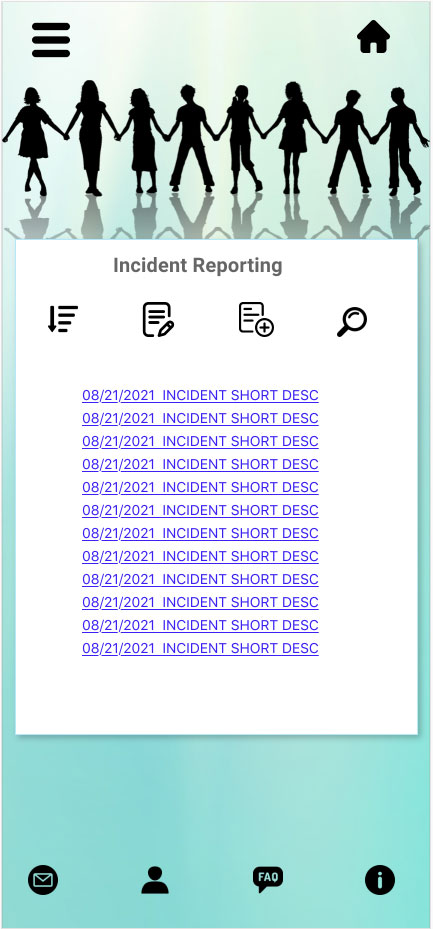
When a user enters the reporting module they will be presented with a list of their reports. They are listed by date and title. There are a number of features that can be accessed from this module.

  • Sort by date, ascending or descending, by title, or by feelings.
  • Search by reports by any word that is in the subject or body or both.
  • Create a new report
  • Share a report with a peer internally or email externally.
  • Save, download pdf, or delete
Reporting Edit Report

Usability Testing & Further Development

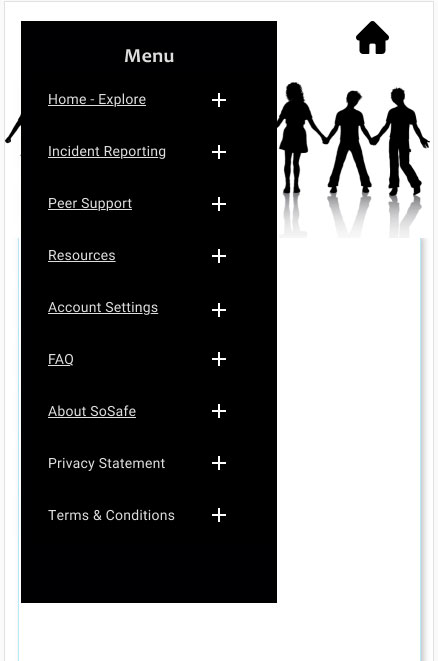
My users tests were enlightening. They brought up a number of super obvious things that I should have thought of. No one really liked that the main page was called Explore. So I changed it to SoSafe Hub. They brought up things like privacy statement, terms of service, more information about what SoSafe is and frequently asked questions. One user suggested the 5 Minute Journal to me that gave me the inspiration for the feelings buttons in the report blog. From this I added the hamburger style menu with access to every page and module.

My users also gave me some positive feed back suggesting other potential users. One user suggested kids caught in the foster system might find it useful, it might also be used in conjunction with therapy for people who have episodes of anger, mania, hallucinations etc. One user said what makes this app special is that there are many journal or blog apps but none work with peer support. There is a lot I would do if I were to continue this into a real app. I would love to have a personal dashboard that users can make entirely their own. I would love to set up the peer support area.

Further Development

Summary

I learned that is easy to get a job done if you go thru the process and don’t skip parts. I also learned that a team is very valuable. I don’t have to know how to do everything. I saw some great ideas from the other students. I would have loved to have built an app with 2 other students who had complimentary skills with me and similar work ethic.

I am very proud of the concept. I was worried at first that I picked something too complex and I can see it going there but with XD it was easy to grow it. I was excited that every time I thought of a new feature, another idea came in my head.

I would have really liked to spend more lessons on animation in XD. I did not know enough to do what I wanted and did not have the time to study it. Finding the time to do the job I really wanted to do was the biggest challenge. For me these graphics programs and projects are like video games but better. If only there were more hours in a day.

SoSafe